
A system of record should be built on data you can trust and trace back to its source. Click Through brings that connection into Monitoring, so your team can check the evidence behind a figure directly from the number on screen.
From a number to its source
When a colleague asks where a valuation came from, the answer should be close at hand. Hover over a figure with a linked source to see the reported value, document name, and page reference where available. Click to open the source PDF alongside your monitoring view, at the cited page, with the relevant figure highlighted when its exact location is available.
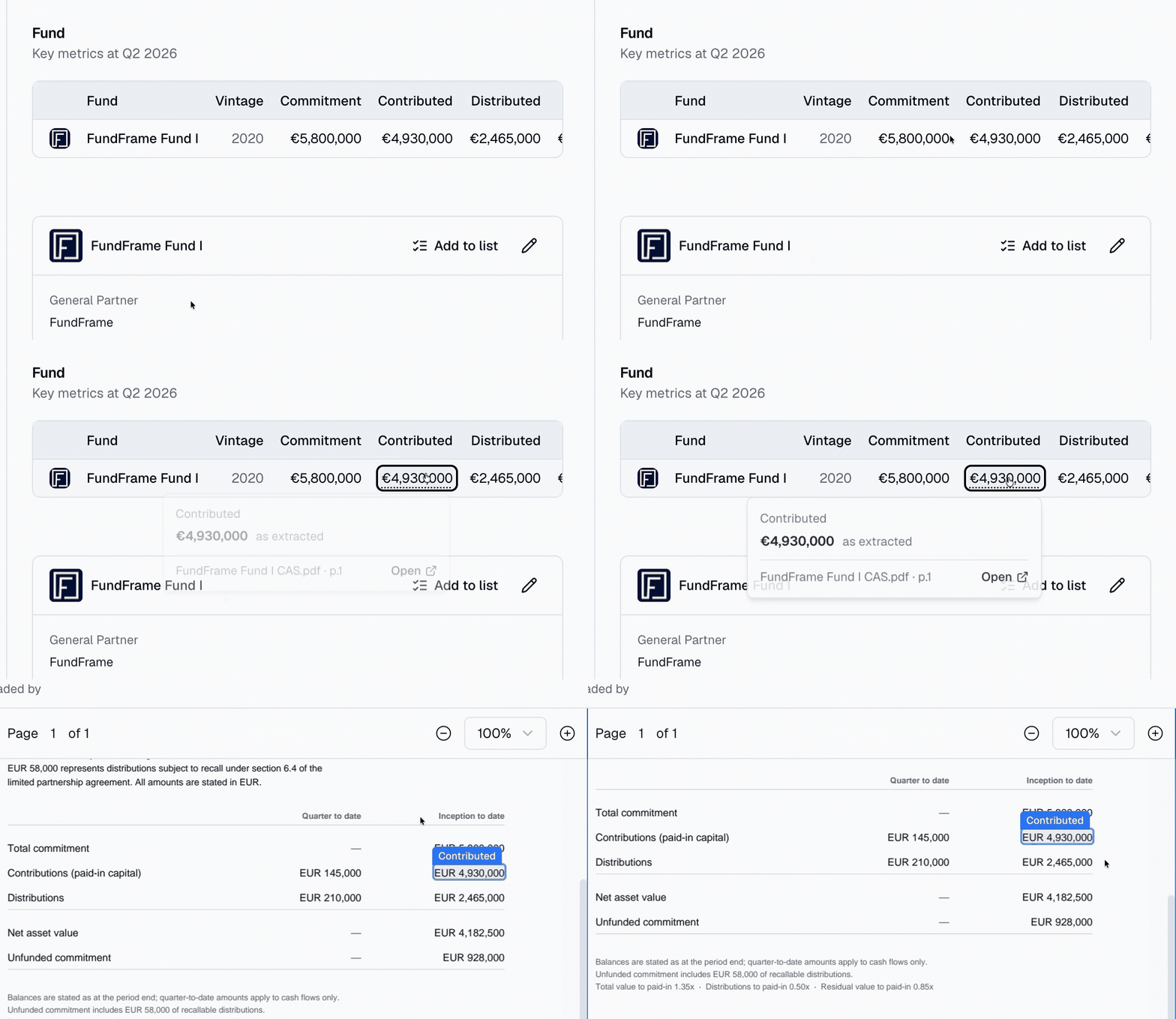
That means less time searching quarterly reports during reconciliations, portfolio reviews, and investment committee discussions. You can check a figure and return to the decision with the source still in view.
Understand the figures you use
Your team's view may differ from the GP's reported number. If a figure has been edited since upload, Click Through marks it as Edited and shows both values, making the adjustment visible when you review the data.
Where a figure has been derived from reported data, the source card explains the basis, such as converting quarterly revenue to an LTM figure or scaling a valuation to the fund's ownership share. Your team can understand why the number on screen differs from the one in the document.
A stronger foundation for portfolio oversight
Click Through is available for supported fund figures, company valuations, and operating metrics with linked sources. When only a page or document reference is available, that is made clear. If the source document is unavailable, the card tells you.
Whether you are checking a quarter-end balance, preparing an IC discussion, or reviewing figures with an auditor, the evidence is easier to follow. Your system of record becomes a place where your team can verify the information it relies on and make decisions with greater confidence.